All posts relating to Maxwell Render 1.x
#277403
Long story short : I have a product visualisation that really visually suffers from the ol' energy loss on the corners of an reflective object. That means the bigger the perpendicular angle to the camera is the less bright the reflections are which is something like an inverted fresnel. So nowhere near physically correct :D Even my customer pointed that out :D

So my question is when will NL guys finaly sort this out? Alot of unbiased renderers have sorted this out eons ago so is it even on the future maxwell roadmap?

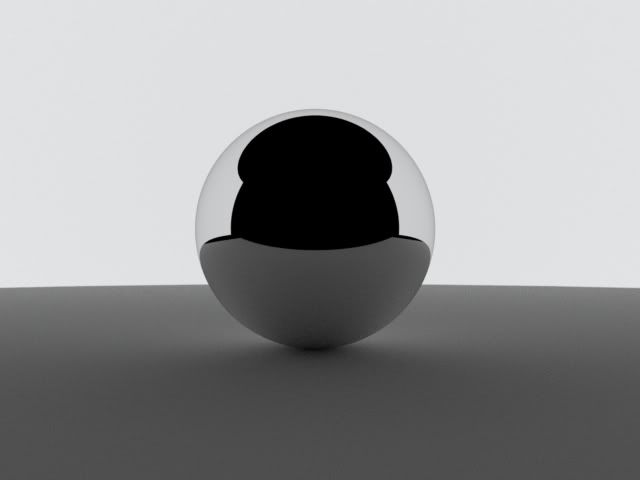
A sample image of a phenomenon that makes our images a bit more ugly :
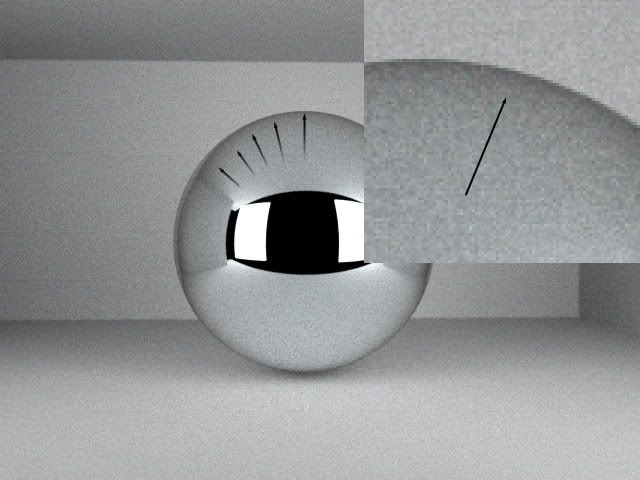
Image
By JDHill
#277404
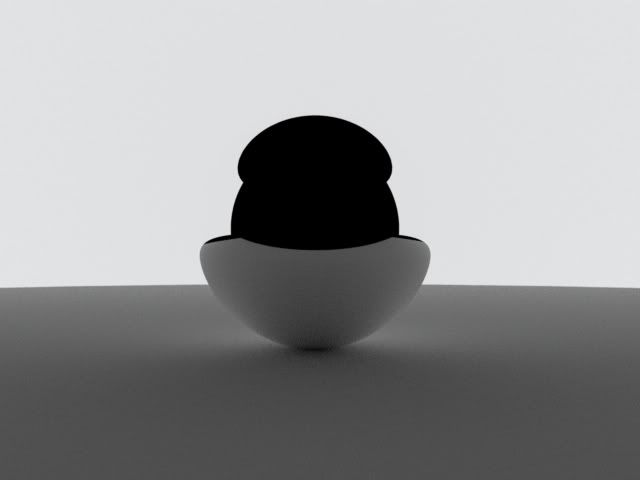
I think your test is flawed...

Image

Image

I don't detect any loss here - the only difference is the sphere's material.
User avatar
By hyltom
#277405
???

I suppose your material is some chrome, so how it can reflect something more bright than its environment? I really don't understand where is your problem...at least in this test.
User avatar
By Bubbaloo
#277406
It looks like a reflection of the environment to me. If the environment was white like JD's then there would be no gradient edges. I used to have a pinball somewhere. It would be interesting to set up a physical model and take a pic to see the result.
User avatar
By tom
#277412
Hybaj, what you see on the grazing angle is the reflection of corner of walls which are naturally dark by GI. Nothing is physically incorrect here.
User avatar
By Hybaj
#277461
ishook wrote:PWNED
Well not THAT pwned. There's still a moral to this story ;)

For the last couple of months I've been doing my own research in which I invest alot of time, money and work before I enter a specific metal working business with my own company. So these days I do alot of sanding and polishing of various metals and metal alloys up to 2000 grit (that means damn shiny). So let's say I have a pretty good idea how the metals reflect light. But that's not really interesting :)

Let's get down to the pictures

Image

Now there's no lame-like background (i was in a hurry last time so I didn't really give it much thought) and you see the effect is pretty strong even if the background object is an emitter so it has a flat color everywhere.

But it's because of the ND which is 20 (even the wizard presets for metals use an ND of 20 which is pretty incorrect judging from the top picture) Gosh I wish I could see the ND visualised in an Curve.

Image

With full silver IOR file. No darkening of the edges.

So what's going on here? How does the ND curve look like (reflectivity Y axis, angle X axis) ?? Why is there a drop in reflectivity on the edge's angles?
User avatar
By KurtS
#277468
what does it look like if you set nd to 200?
User avatar
By Hybaj
#277475
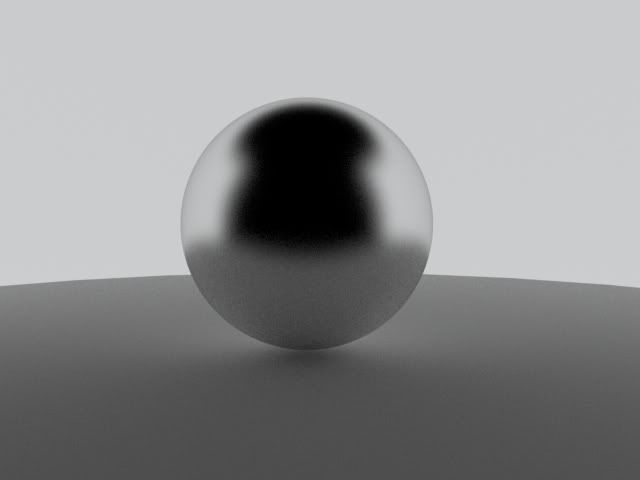
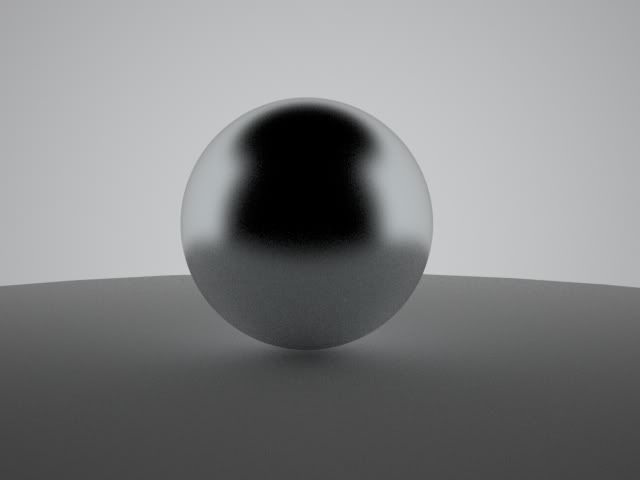
Now that was ND... but here comes the roughness (didn't have time to cover it in the last post, had to go lathe some metal things) - dark edges even with full IOR or 1000 ND

Full IOR (silver IOR.. the same as in the last post)
Image

1000 ND (a slight bluish tint because of the aluminium preset from wizard)
Image

So here's the fabled energy loss which hasn't been resolved in Maxwell. It's a small effect which is hard to see in many scenes (due to things like in my last faulty scene) but sometimes (as in case with my product visualisation) even a customer can point that out (a crazy laser-optics guy) :)
By ishook
#277480
I did a test myself, and found similar results except for when the ND was high.

Image

The setup is 3 6" spheres on a 100x100 white (rgb230) plane with env and no sun on.

Ian
User avatar
By tom
#277483
That's natural because according to Fresnel, the curve has an amount of fall-off at Brewster's angle and that loss of reflectance at grazing angle depends on Nd. With low Nd, the fall off is mild and covering the surface, with higher Nd it's being pushed to the edge and with more Nd it's being lift up and more faint. Metals like silver has it less remarkable or almost invisible.
User avatar
By Hybaj
#277495
Yup but still the ND curve has over-exaggerated effects for any kind of material. Not a single metal fades that much (ussualy slightly into different color but not perceivable out of renderer.. my experience) Ok but the main point is the roughness thing where we shoudln't be seeing the fade(i've had few 600 and 800 grit metals in my product visualisations) :)

Ishook : Well duuh :) Ain't we been using the same renderer? :lol:
User avatar
By tom
#277501
Maxwell does not force Fresnel depending on Nd because of intuition in reflectance colors. This means, the brightness of color input matters. Ideally, you should make a chromacity-only input and leave the rest to fresnel which would ensure physical correctness. Currently, Maxwell's fresnel takes luminance of given reflectance colors into account. Otherwise, setting grey and white or brown and red would not affect and Nd would always rule. In order to make metals like silver, you should use high Nd like in Ian's test and keep in mind, with such a high Nd, ref0 should be very close to ref90 in terms of brightness. The fresnel effect eventually disappears by the roughness. More rough means less ref90 influence.
User avatar
By Hybaj
#277519
By high ND you probably mean atleast 1000 because there's no way I see any darkening at the edges of aluminium (pure and 8 types of alloy), steel, silver, gold, bronze, copper, titan etc. So it's really not only silver. Btw you have to se
tom wrote:he fresnel effect eventually disappears by the roughness. More rough means less ref90 influence.
Yes it comes from the way that the whole roughness effect is acheived via the most commonly used technique, which actually hits the brick wall of physical-reality so in order to make it real you have to develop some kind of a workaround. So yes it's physicaly incorrect. Do we agree on this or not?
OutDoor Scenery Question

Hi Ed, Without seeing how your model is setup I'd[…]

fixed! thank you - customer support! -Ed