All posts relating to Maxwell Render 1.x
By MS
#275027
I have read the whole thread by Thomas An. about refraction of light.

http://www.maxwellrender.com/forum/viewtopic.php?t=2906

The thread is pretty old now. (ALPHA - 1.1.33 - May 20, 2005) Are there any changes? Can anyone explain how MR calculates index of refraction of “nested” materials (eg. Air-Glass-Water-Glass-Air)?

From school I remember Snell's law very well but I am not sure how to implement it in MR…

I performed some test and basic calculation. I found that only way I can get the “physically” correct result is as follows:

To use solid closed objects, to have “double sided” polygons on medium intersections.

Drawing:

Image

Render OK:

Image

If I used setup suggested by Thomas (to remove polygons on intersection glass and water) I always got strange result. Even I change face normals (it has no impact at all).

Render NG:

Image


Drawing:

Image


Render Reverse normals NG:

Image

Can anyone from NL help to solve this question (how to model “physically” correct glass of water)?

I did not take into account situation on water level, where the order of materials is Air-Water-Glass-Air. I want to test it later.

Suggestions and questions are welcome.
User avatar
By hyltom
#275049
I don't think you have used the right procedure to test Thomas method. Instead of removing the polygons on the intersection of the glass and the water, you should enclose the water inside the glass...well I'm not sure it's the correct way, but this is how i understand Thomas method.
By MS
#275060
hyltom wrote:Instead of removing the polygons on the intersection of the glass and the water, you should enclose the water inside the glass
I think my test simulates R1 beam on Thomas test. At point A the beam enters glass (glass IOR), then at point B water (water IOR), at X1 leaves water to glass, at X2 it leaves glass. Four membranes at light travel. And I got strange result with it.

Maybe I am wrong, I just do not know, how to do it right way.
User avatar
By KurtS
#275792
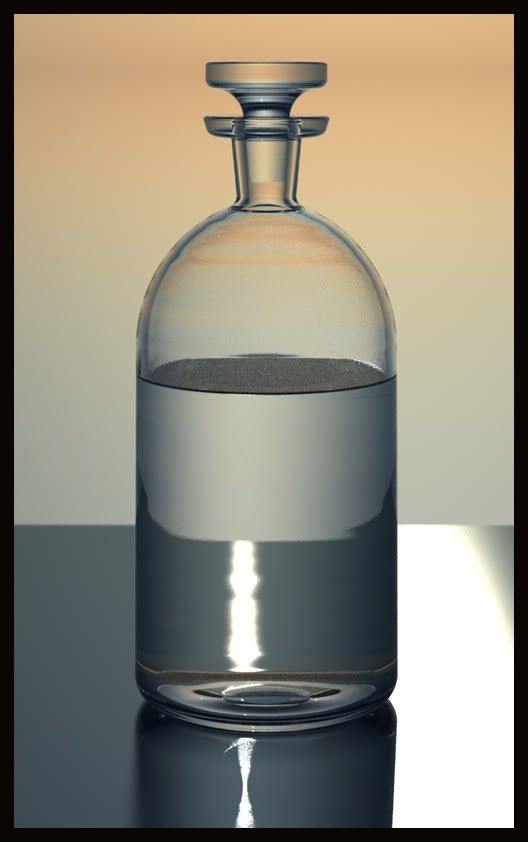
a 15 minute rendering of a bottle with water using Thomas' method:

Image
User avatar
By Thomas An.
#275800
MS wrote:The thread is pretty old now. (ALPHA - 1.1.33 - May 20, 2005) Are there any changes?
Some things that are different now ( although the overall result is the same as before in regards to liquid+glass):

1. A ray passes through a solid only if it encounters opening and then closing normals of the same mesh. Unlike in the past you can no longer have separate meshes (now you have to merge them to be considered a solid)

2. Rays passing through a stray single plane (non solid) will always cause refraction regardless of the direction of its normals (unlike in the past).

The method of the old thread still works in 1.7 as long as you keep the glass as a solid (I can say it with certainty for dielectrics only ... I am not yet sure what is happening with SSS)
User avatar
By Thomas An.
#275802
MS wrote: Image
The above drawing has an error:
All glass normals need to be flipped to point in the opposite direction (outwards). Also, from left to right, vertical surfaces 1 and 4 need to be merged into one ... and vertical surfaces 2 and 3 also need to be merged into one.
By MS
#275842
KurtS wrote:Thomas does not suggest to model the glass as an open mesh, what makes you think that?
Image

There are three materials in Thomas's diagram:

Black - glass - can be colored glass
Red - liquid
Green - glass - white - over the liquid level

It makes me to think that the glass (the black one) is open mesh. Probably I am wrong.

As I quickly read answers from yesterday evening in this thread, there are some little changes in "closed mesh" etc. I will study and update my tests.

Thanks for your reply.
Last edited by MS on Tue Jul 15, 2008 9:04 am, edited 1 time in total.
By MS
#275845
Thomas An. wrote: Some things that are different now ( although the overall result is the same as before in regards to liquid+glass):

1. A ray passes through a solid only if it encounters opening and then closing normals of the same mesh. Unlike in the past you can no longer have separate meshes (now you have to merge them to be considered a solid)
I see. Maybe this causes the strange results I got. I will test and post new tests.

Thank you Thomas!
Thomas An. wrote:The above drawing has an error:
All glass normals need to be flipped to point in the opposite direction (outwards).
You are right. The drawing is wrong. I was so confused with rendering result, so I made errors also in drawing. In the model there are all glass normals pointing out of the glass.
User avatar
By Thomas An.
#275848
MS wrote:There are three materials in Thomas's diagram:

Black - glass - can be colored glass
Red - liquid
Green - glass - white - over the liquid level

It makes me to think that the glass (the black one) is open mesh. Probably I am wrong.
The green surface represented an option ... I think it was mentioned somewhere deep in the thread, but I neglected to make it clear in the diagram.
During the alpha days it was possible to have open messes and still get proper dielectrics. The idea was to start with a solid glass, but if it was deeply colored you might opt to detach the top surface and keep it clear and colorless so that it doesn't affect the color of the liquid while you are looking from the top.

It turns out the benefit of having the green portion detached was negligible anyway ... and so in practice we always use just two solids. One for glass and one for the liquid.
By pipcleo
#275856
in the above diagram where is the inner surface of the glass below the water line exactly?
or is there not one ? only the water object

Can you blow up that image to show exactly whats happening on the over lap ?

Maybe remove the water object to make it clear ?

Sorry but this is slightly confusing
User avatar
By JorisMX
#275864
perhaps a very simple water in boring ikea glass scene would help solving the mysteries about this topic?
User avatar
By KurtS
#275869
modeled directly after Thomas' diagram:

Image

I forgot to ad smoothing in Studio, this is the reason for the radiant caustics to the left.
OutDoor Scenery Question

Hi Ed, Without seeing how your model is setup I'd[…]

fixed! thank you - customer support! -Ed