Page 1 of 1

Dragon Skin material

Posted: Fri May 13, 2011 10:08 pm
by Asmithey
Hi all,

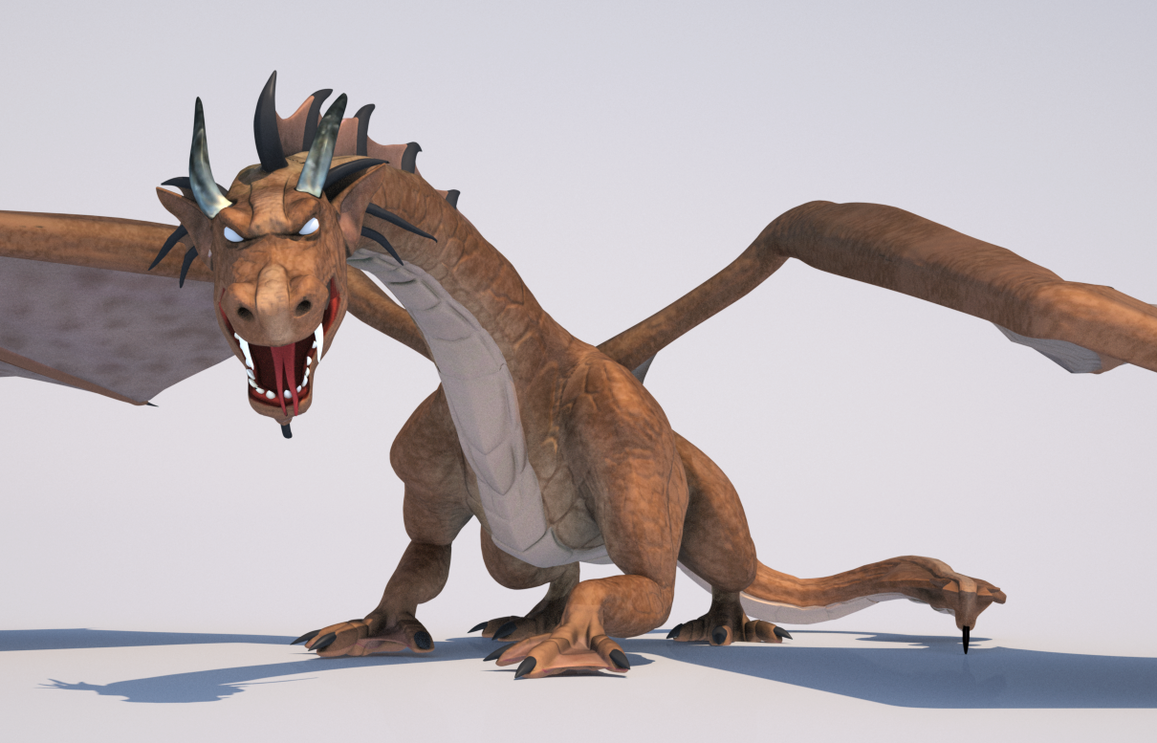
I have been modeling a dragon. This is my first ever character/ creature model and rig. So it has been a ton of fun. I am still texture painting so I have some work to do there. And I hope to put this into an entire scene. But I set up an mxm material using my textures with some SSS. I am not sure I have it set up right. The benchmark without SSS is like 500 but when I set up the SSS material it went to 44. So I am wondering if the material is set up wrong.


Image

Image

Image

Re: Dragon Skin material

Posted: Fri May 13, 2011 10:53 pm
by Half Life
Try using a thinSSS ghost: http://www.maxwellrender.com/forum/view ... 21#p337721

Best,
Jason.

Re: Dragon Skin material

Posted: Sat May 14, 2011 6:51 pm
by Asmithey
I recalled a post where I had asked how when and why to use a ghost layer, which you replied to. I still do not understand fully how the ghost layer works. I just mimicked you settings for the leaf material. It did in fact increase the performance dramatically. Using your tip, the bench mark went to 300 and the render got to 17 SL at 3000 x 1650 in 9 hours. The rendering that was posted earlier rendered to 16 SL in 32 hours benchmark of 44. Right now I am just playing around, since I have never made a skin material for anything. I need to do the eyes, the mouth is too red and the horns, well that texture map is horrible. Here is the updated image. Thanks for the Thin SSS tip


Image

Re: Dragon Skin material

Posted: Sat May 14, 2011 7:14 pm
by Half Life
The ThinSSS "Ghost" technique works by transmitting the translucency of the "Ghost" layer thinSSS to the standard material below -- in much the same way you can transmit the gloss of the normal additive layer to the opaque solid material below.

This is not too different from the old method of BSDF blending of SSS and BSDF materials in version 1.7.x.

The advantage is you can modulate from strong SSS effect to fully opaque by simply controlling the opacity of the "Ghost" layer and ThinSSS settings(giving you more control)... Well that, and it tends to render faster with less noise ;)

If you want greater translucency for things like the wings then you can increase the attenuation distance and decrease the scattering coefficient value... there are a couple other examples of the technique in that thread to give you some ideas of different ways to use it.

If you want to share the scene I can cook up a custom skin material for you to give you an idea of how I might tackle it.

Best,
Jason.

Re: Dragon Skin material

Posted: Fri May 20, 2011 4:02 am
by Asmithey
Thanks,

I will be willing to give you the scene. That would be very helpful.

Thanks,
Aaron