Page 1 of 2
Composite
Posted: Fri Jun 11, 2010 6:56 pm
by Bubbaloo
This is my first try at a serious composited render. Rendered main render, shadow, alpha and composited with CS4. What do you guys think? Is it at all realistic? I'm not all that great with Photoshop.
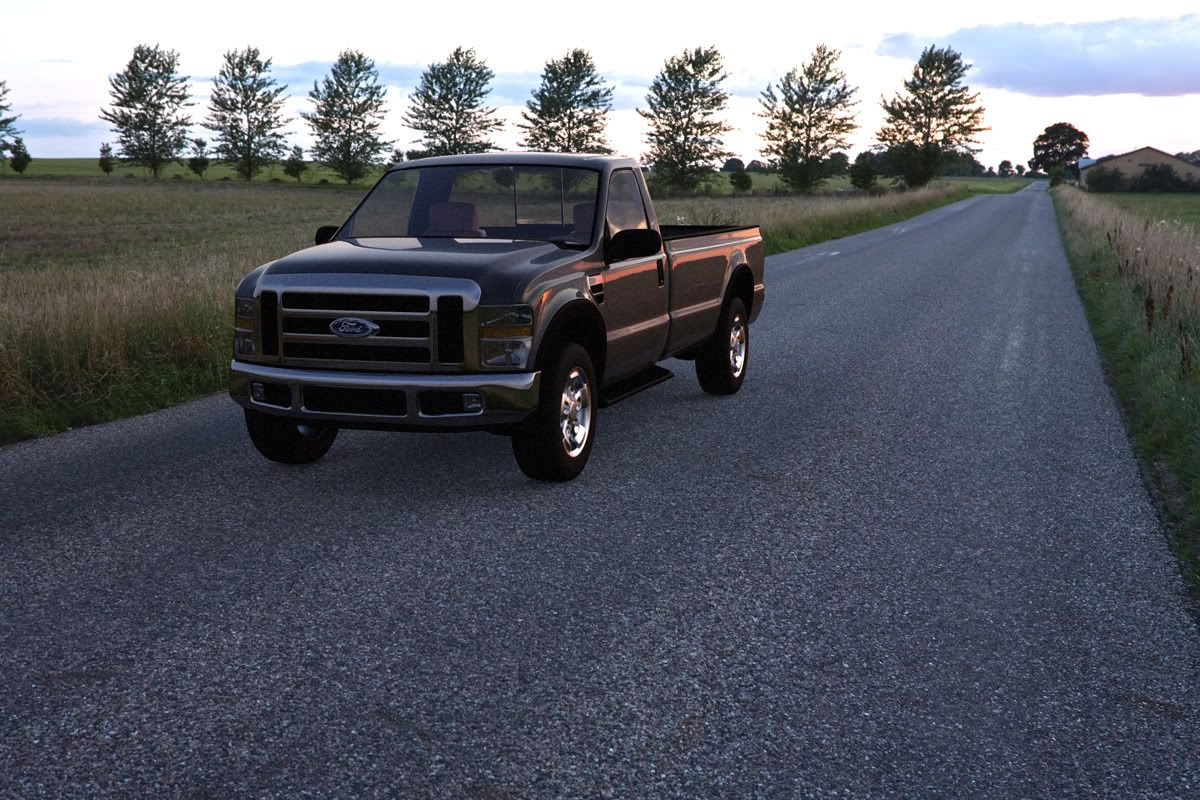
The truck is from Dosch Transport 2010 with Maxwell materials I made and the jpg background and hdr lighting was a free sample "Country Road", but I can't remember where it came from...
Re: Composite
Posted: Fri Jun 11, 2010 7:06 pm
by arkviz
Hi,
i think there is too much light under the car. I don't like this HDR, because about 25% of all cg cars publihed on the internet are placed there.
Re: Composite
Posted: Fri Jun 11, 2010 7:10 pm
by Bubbaloo
Thanks for the critique. You may be right about the shadow under the truck. It may need to be darkened a little. About the HDR, it was free, and it's a good quality, so that's probably why you see it a lot. This wasn't for a job or anything, just practice and learning new things.

Re: Composite
Posted: Fri Jun 11, 2010 7:33 pm
by arkviz
Yes I see
I have an idea about puting some more 3d trees into the scene, how it will be looking.
Re: Composite
Posted: Sat Jun 12, 2010 2:15 am
by Half Life
A bit of levels or curves adjustment on the body of the truck would help it sit a bit better in the scene -- the gamma in particular look a touch too dark.
Also don't be afraid to work the background as well -- and some color grading on the whole thing would go a long way to cement everything together.
Here's a quick and dirty example:

Best,
Jason.
Re: Composite
Posted: Sat Jun 12, 2010 2:53 am
by Bubbaloo
Nice! Can you explain the color grading a bit more?
Re: Composite
Posted: Sat Jun 12, 2010 3:02 am
by Half Life
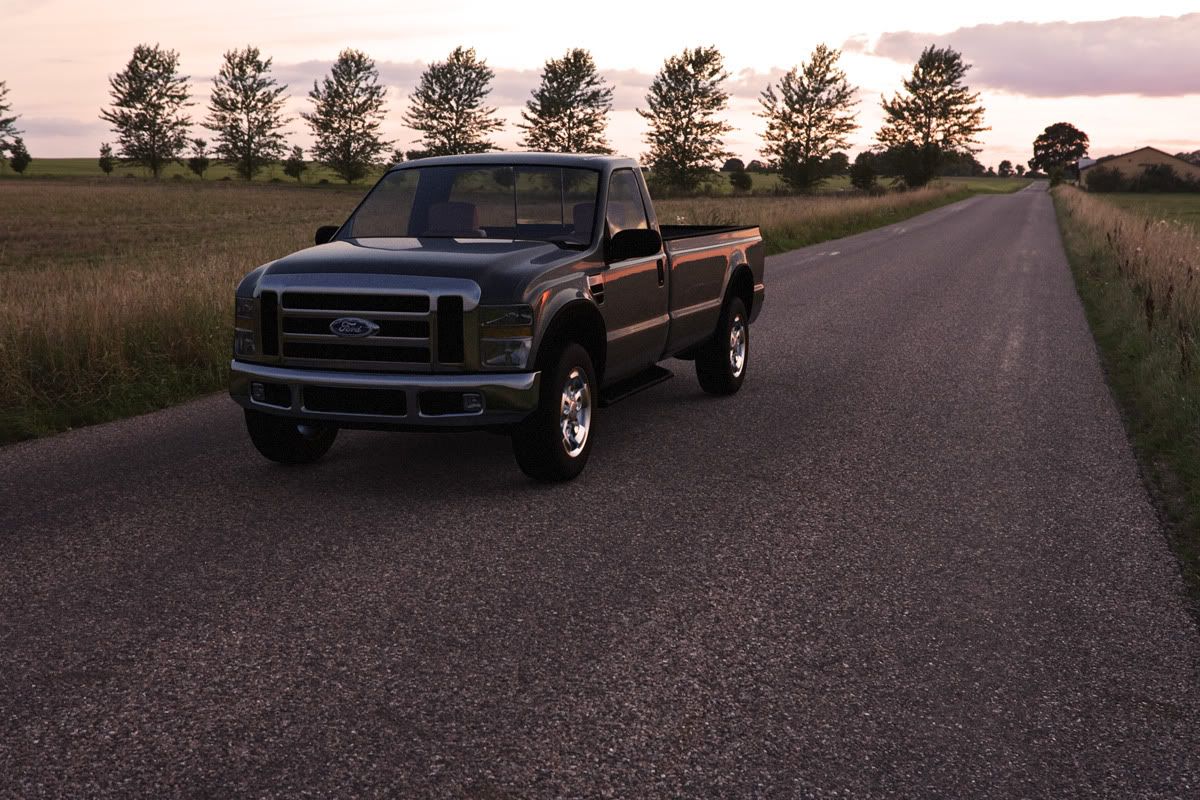
Probably the easiest way to do it is the use a hue/saturation adjustment layer and set it to colorize... pick a color tone you want for the whole thing (I used a semi-dull orange) and then set that layer to blend using color(or whatever works for you) and reduce the opacity until you get the effect you want.
You can also try the photofilters function if you like that sort of thing -- kinda does the same thing with less fine tuning ability.
Best,
Jason.
Re: Composite
Posted: Sat Jun 12, 2010 4:00 am
by Bubbaloo
Thanks Jason, here's a new version following your advice:
Re: Composite
Posted: Sat Jun 12, 2010 12:06 pm
by Half Life
Yep, much better -- I think you got it.
Best,
Jason.
Re: Composite
Posted: Sun Jun 13, 2010 8:33 am
by Hervé
cool... but you need more deep shadows near the tires... and the windshield is wayyyy too clean...

Re: Composite
Posted: Sun Jun 13, 2010 3:02 pm
by Bubbaloo
Hervé wrote:cool... but you need more deep shadows near the tires... and the windshield is wayyyy too clean...
Good points. I didn't spend any time trying to dirty up any of the materials. All I did was add a little noise to the truck to match the noise of the background photo. (Adding noise to a Maxwell render, what has this world come to???)

Re: Composite
Posted: Sun Jun 13, 2010 5:25 pm
by Hervé
he he.. I knew that you knew ...

Re: Composite
Posted: Sun Jun 13, 2010 5:28 pm
by Bubbaloo
I know.
Re: Composite
Posted: Wed Jun 16, 2010 3:51 pm
by Bige
like the colors much more now, but somehow the composition is a bit odd;
- or you would expect some blurr because the car is driving neatly on its side of the road.
- or the car should be clearly not driving, like for example angled on the road.
somehow it seems a bit to much of both.
Re: Composite
Posted: Wed Jun 16, 2010 5:33 pm
by Bubbaloo
Bige wrote:like the colors much more now, but somehow the composition is a bit odd;
- or you would expect some blurr because the car is driving neatly on its side of the road.
- or the car should be clearly not driving, like for example angled on the road.
somehow it seems a bit to much of both.
Good point! It should be angled to show that it's stopped for a posed "photo".