Network Render: Save Preferences
Posted: Mon Jan 24, 2011 11:10 pm
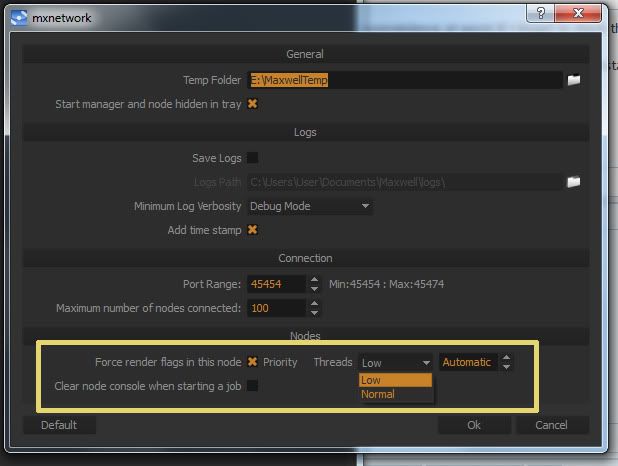
This mostly has to do with Low CPU priority for me, which is highly recommended in the manual and seems to work just great. It's a minor inconvenience at worst if I forget to check the box, but it seems to me that it should be checked by default, if you've checked it in the past.
I suspect it's off by default for those folks using a dedicated farm? I don't know what percentage of people are able to do that, but there are a number of us who are using other workstations, or in my case a server as the 'farm' who would just assume Low CPU priority always be on.
-brodie
I suspect it's off by default for those folks using a dedicated farm? I don't know what percentage of people are able to do that, but there are a number of us who are using other workstations, or in my case a server as the 'farm' who would just assume Low CPU priority always be on.
-brodie