

- Sat May 23, 2009 11:47 am
#299192
trying to get a white base material to stand my jewellery product upon. tried alsorts of white materielas but they all seem to have a grey noisey type specs within it. I am not looking for non reflective just a good white.
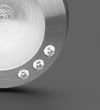
I ve looked at the gallery on the main site under engineering/jewellery and see a very good base background. It appears on the 02 picture produced cadadra applied computer graphics. Can anyone advise the type of material that this looks like and the setting required?
Or perhaps its my lighting.... not sure. anyway any help would be gr8.
thanks,
r
I ve looked at the gallery on the main site under engineering/jewellery and see a very good base background. It appears on the 02 picture produced cadadra applied computer graphics. Can anyone advise the type of material that this looks like and the setting required?
Or perhaps its my lighting.... not sure. anyway any help would be gr8.
thanks,
r

 - By Edward Leibnitz