Page 1 of 1

Grasshopper

Posted: Fri Apr 17, 2009 2:29 pm
by kami
Anyone into Grasshopper?
It looks like a really great plugin and I'd really like to learn it. But it looks kind of difficult :)
Is it worth learning? I'd like to use it to speed up architectural modelling. As an example: Beeing able to try different subdivisions of windows, Or beeing able to easily scale windows etc.

What's the best way to learn it?
I just downloaded the manual from liftarchitects.com and will start with that.

Help and tips are very much appreciated. :wink:
cheers,
kami

Posted: Fri Apr 17, 2009 4:08 pm
by ivox3
Short answer = yep. Yeah it takes a little time to learn. Yeah you can do all those things and more. Do yourself a favor --- learn it.

Just take a little time everyday and dedicate it. You can learn it the same way you learned Rhino --- try things, explore, play.

As for tutorials -- there's plenty. Pay attention to the NG, ..Bob is always bringing out new learning stuff about GH.

A few places:

http://designreform.net/category/_tutorials-rhino/

http://designreform.net/forum/index.php ... 703.0.html

Posted: Fri Apr 17, 2009 4:41 pm
by JDHill
Sorry, I haven't played with it much, but I've done lots of similar things using parametric tools in other apps. I'm sure it can do what you want, but you'll just have to get familiar with how to hook things up to do it. You'd probably be best off to begin by generalizing the the physical relationships involved in building the particular item you want to create with it. So, like with a window, list out all of the inputs you need to create a generic window, associating them to variable names, for example:

Start with the necessary inputs:
  • w: width, outer-jamb to outer-jamb
  • h: height, outer-jamb to outer-jamb
  • d: jamb depth
  • jt: jamb material thickness
  • cw: casing width
  • ct: casing thickness
  • cr: casing reveal
  • sw: stile width
  • rh: rail height
  • mw: mullion width
  • hlc: horizontal lite count
  • vlc: vertical lite count
These will then be used to drive some dynamic values:
  • ow: overall width, or (w + (2 * (cw - jt + cr)))
  • oh: overall height, or (h + (2 * (cw - jt + cr)))
  • od: overall depth, or (d + ct)
  • lw: lite width, or ((w - (2 * jt) - (2 * sw) - (hlc * mw)) / hlc)
  • lh: lite height, or ((h - (2 * jt) - (2 * rh) - (vlc * mw)) / vlc)
...and so on. Then you just need to learn how to add the right Grasshopper components to create a collection of dynamically-generated boxes, planes etc, which relate to each other using these inputs and generated values. From what I understand, once you've set things up, you then plug in the actual values for a given item, 'bake' out the geometry, then move on to the next item and plug in its values, and so on.

Posted: Sat Apr 18, 2009 6:19 am
by JDHill
Hey kami, try this out...

Image

Here's a link to the grasshopper file. It's a pretty simple window, and it can likely be done a much better way, but...see if it helps you get going anyway.

Cheers...

Posted: Sat Apr 18, 2009 4:40 pm
by kami
wow. thank you very much!

since I haven't scripted anything before, it's going to be a long time learning it. But I think it's definitely worth it.

I'll be posting my progress in a wip-thread! I'll start right away with it next monday - no excuses allowed :)

cheers,
kami

Posted: Wed Apr 22, 2009 3:23 pm
by kami
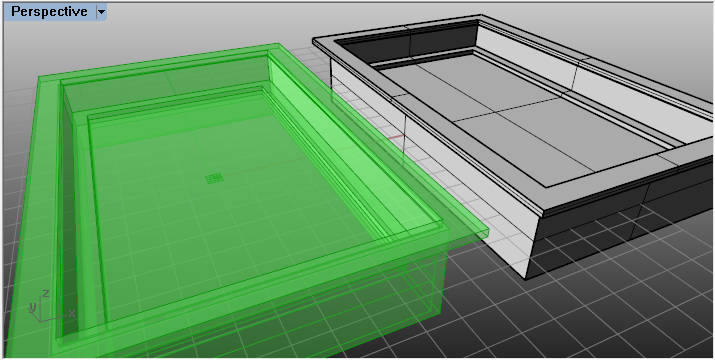
yeah, I did it!
I managed to achieve some very basic stuff with a lot of effort :)
My scripts always seem way to complicated. That may be because I don't know all possible functions. So I started to read the manual as well, hoping I'll be more efficient in a few weeks, or hopefully days.

but it really is a great tool. maybe I should have started with rhino's build-in history, which I never used so far. A lot of stuff I'm doing with grasshoppers could have been done easily with it.

I'll keep trying till I got something nice to show.

cheers, kami